
A designer’s journey · 2024–2026
AI got better.
So did the way
I build.
My first AI website took a lot of copying, testing, and asking again. Today, I work with AI across a family of tools. The screens changed. So did the skills behind them.
See the evolutionKyle Hobson · Research, design & applied AI
One idea, a year of change
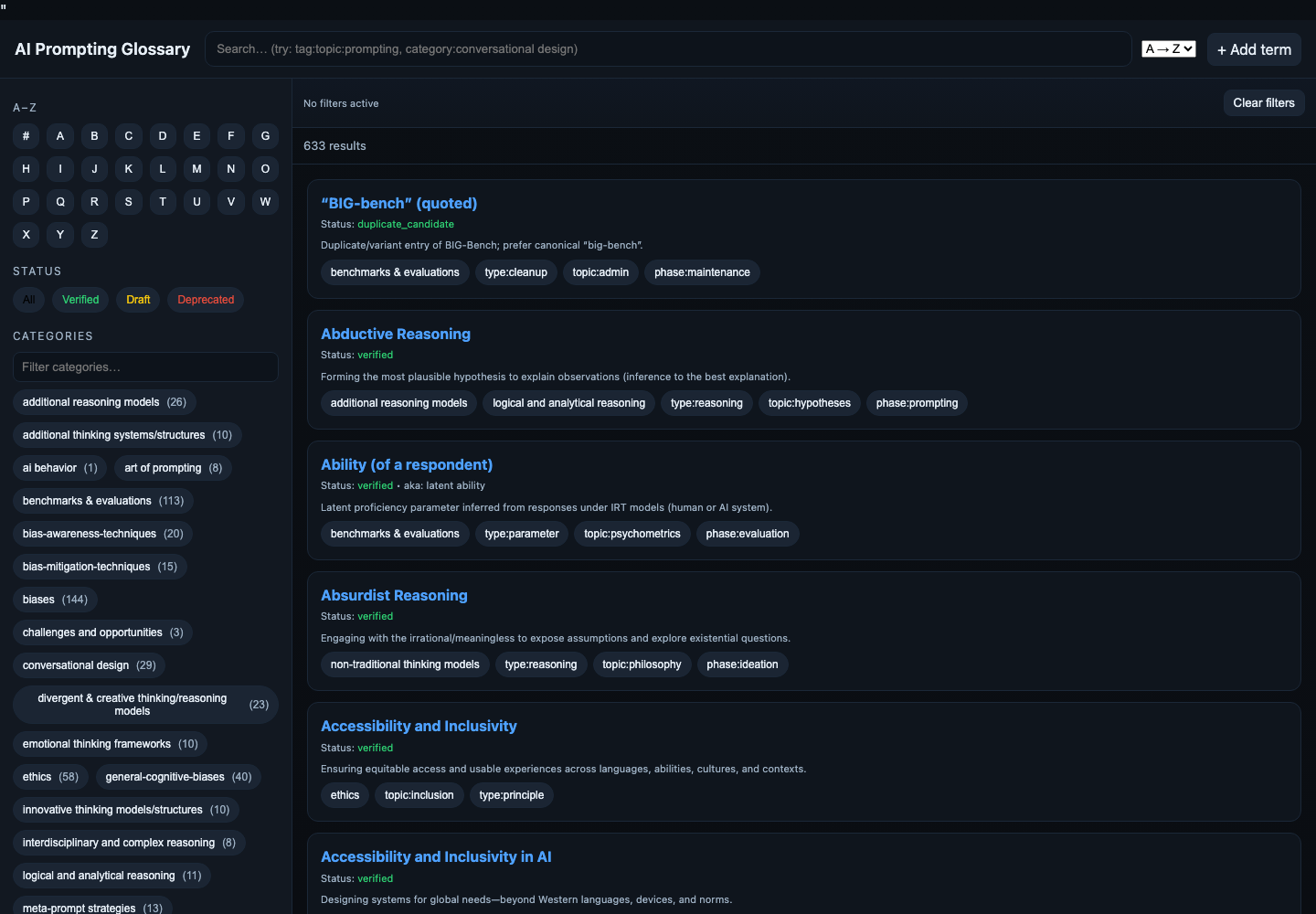
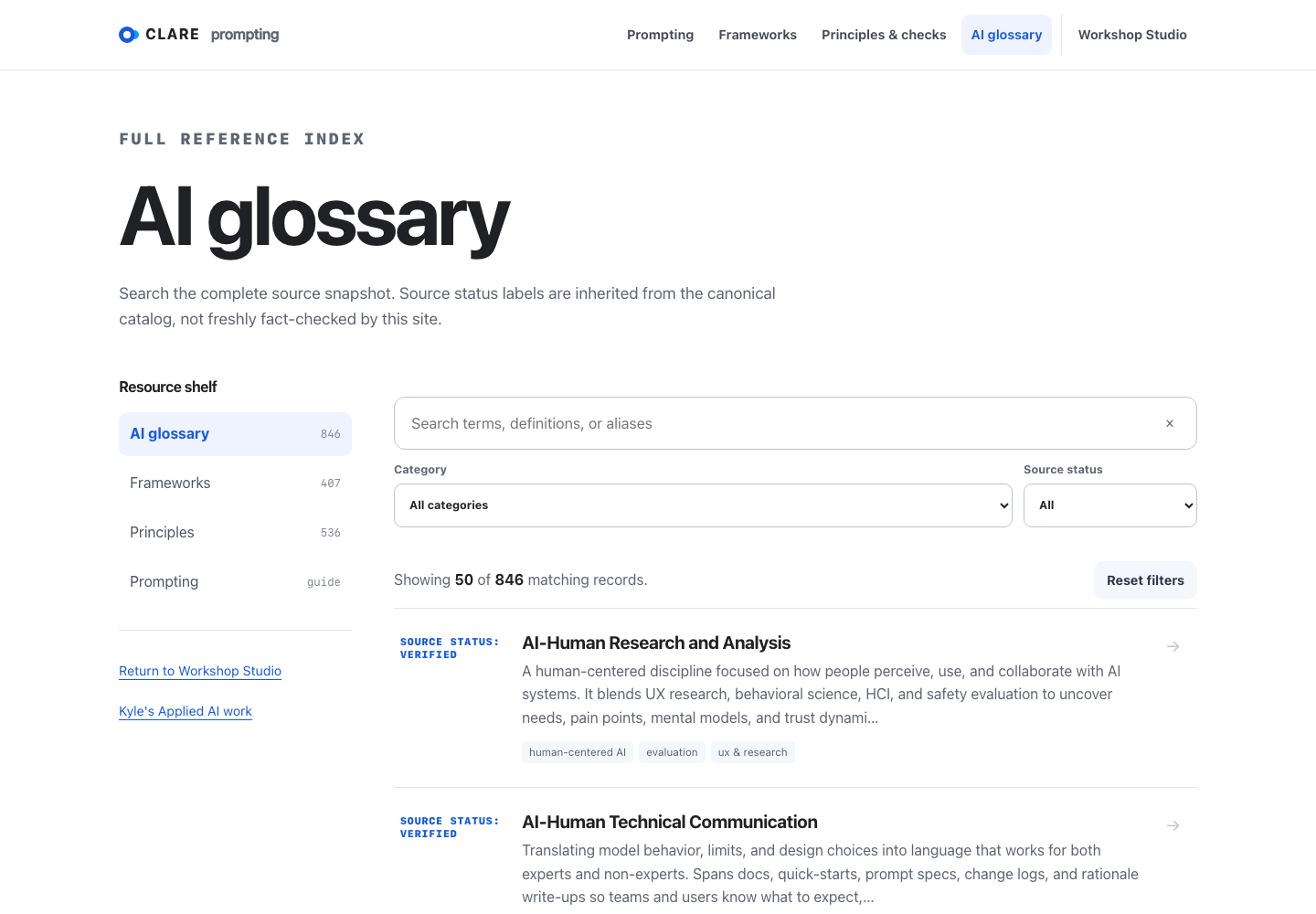
Historical source rendered September 2026
01 / Watch the work change
A glossary grew into
a resource studio.
The first website made hundreds of terms searchable. As the collection grew, so did the number of controls competing for attention. A year later, search and definitions had more room, and related resources had their own place. Choose a version to see the changes.
Search controls and the term list are already present. Categories, status labels, tags, and alphabet controls compete for attention in the first screen.
02 / Research roots
Before the website,
there was a question.
My ASU thesis explored how people communicate with AI. I began collecting prompting terms, definitions, and approaches scattered across disciplines. Organizing that language was part of learning how to use the tools myself.
By February 24, 2024, I had a glossary in Google Sheets. Alongside it, I was using a GPT-4 custom GPT to explore prompting terminology. That research became the foundation for something other people could browse.
03 / Building with ChatGPT
The first site took
a lot of asking again.
In September 2025, I used ChatGPT to turn spreadsheet data into website code. I copied it into BBEdit, opened the result, found the next problem, and went back to the conversation. A menu stayed open. A download stopped working. An alphabet panel covered the content.
Across 15 saved conversation records from September and October 2025. Repeated messages shared by branches are counted once.
The work between AI responses
- Transferring the code. Copying generated JavaScript and HTML into local files.
- Testing the result myself. Reporting a menu that stayed open, a download button that stopped working, and an alphabet panel that overlapped content.
- Protecting what already worked. Asking for repairs that preserved existing behavior and for contrast checks in both light and dark themes.
The count includes requests and pasted data. It gives a view of the conversation involved; it does not measure bugs, hours, or all the work on the project.
How the count was checked
Canonical ChatGPT conversation records with “glossary” in the title, created from September 1 through October 31, 2025. Only user messages on the selected conversation path count. The 290 rows contain inherited branch history; deduplicating by message ID leaves 158. Tool calls and assistant messages are excluded. Conversations with other titles and activity outside ChatGPT are outside this count.
04 / Building a connected system
One website became
a family of tools.
Compass brought together tools for prompting, critical thinking, research, usability, and more. My design problem grew too: each tool needed to explain its purpose, show what it produced, and feel at home alongside the others.

May 1, 2026 · Suite storefront
A place for the tools
to work together.
The May 2026 storefront gathered the growing collection in one place. Some tools had public betas; others were still taking shape. The UX Heuristics Compass pages below show the next step: moving from installation instructions toward a story people could understand before downloading.
Restored from a0147c1a. The screenshot documents the storefront, not the reliability of every underlying tool.
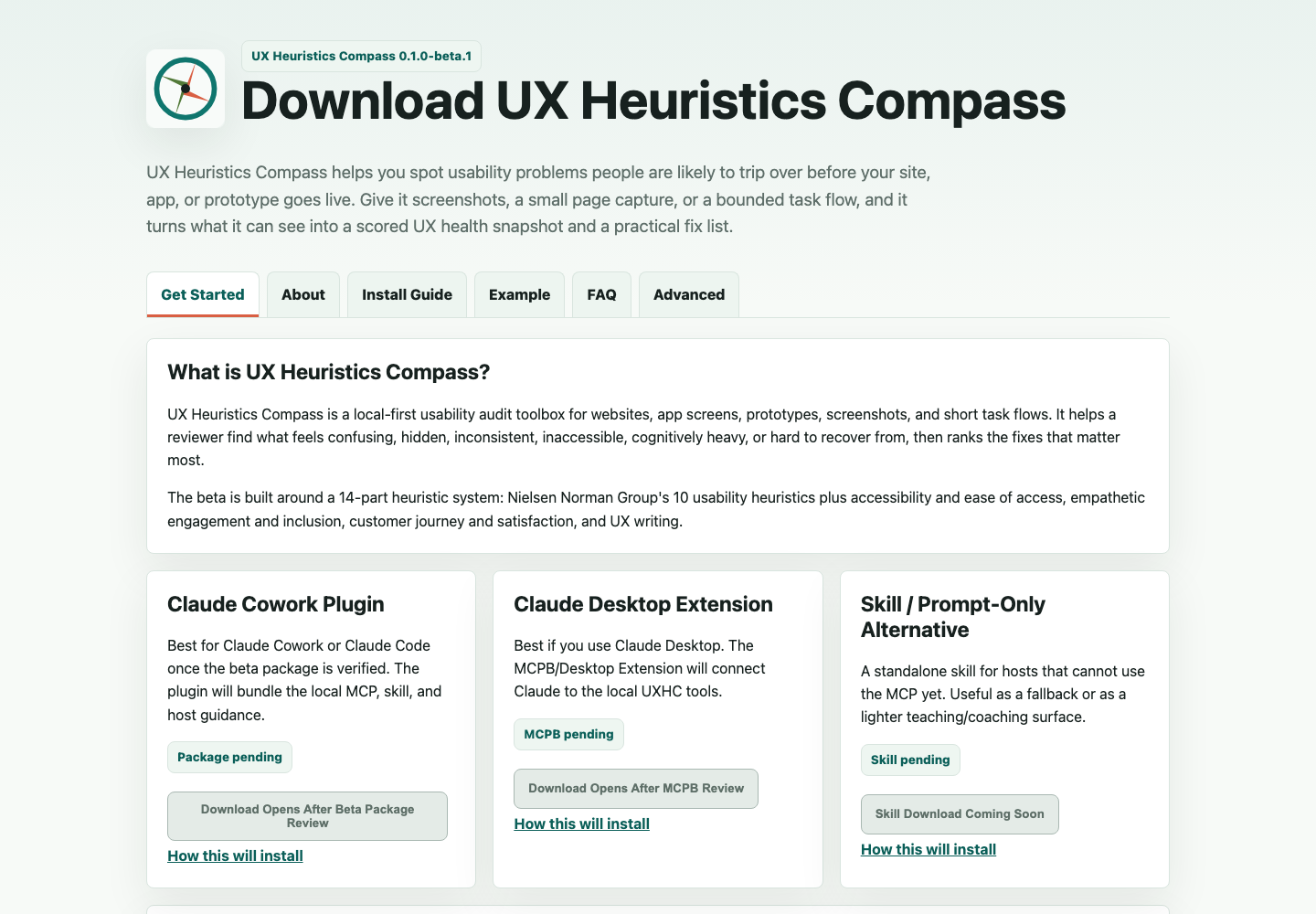
The page explains the tool and its installation options. Most of the first screen is text and package status; the tool’s output is not yet the main visual.
Another original survives: the May 3 desktop QA capture, alongside mobile captures and archived audit reports.
05 / The shift in my role
From moving code
to directing the build.
By 2026, I was using Codex to edit files, manage versions, and check pages in a browser. More of the work could happen inside one process. I could spend more attention on the experience I wanted, the requirements that mattered, and the result people would see.
A clearer target for the work
The early workflow asked me to carry code from a conversation into an editor. The newer workflow let me give the agent a design reference, ask it to make changes in the project, and review the running page. That changed what I needed to explain in a prompt.
Learning to see what a build misses
During the July Compass redesign, I called out clipped content, unfinished sibling sites, and imagery that did not fit. A page could load successfully and still miss the experience. Catching those gaps became a bigger part of my role.
Less handling, more direction
The newer work felt much faster to produce. I could ask for a change, inspect the result, and refine it without manually transferring each response. The clearest change is the work I was doing between iterations. I did not track comparable hours for a numerical speedup.
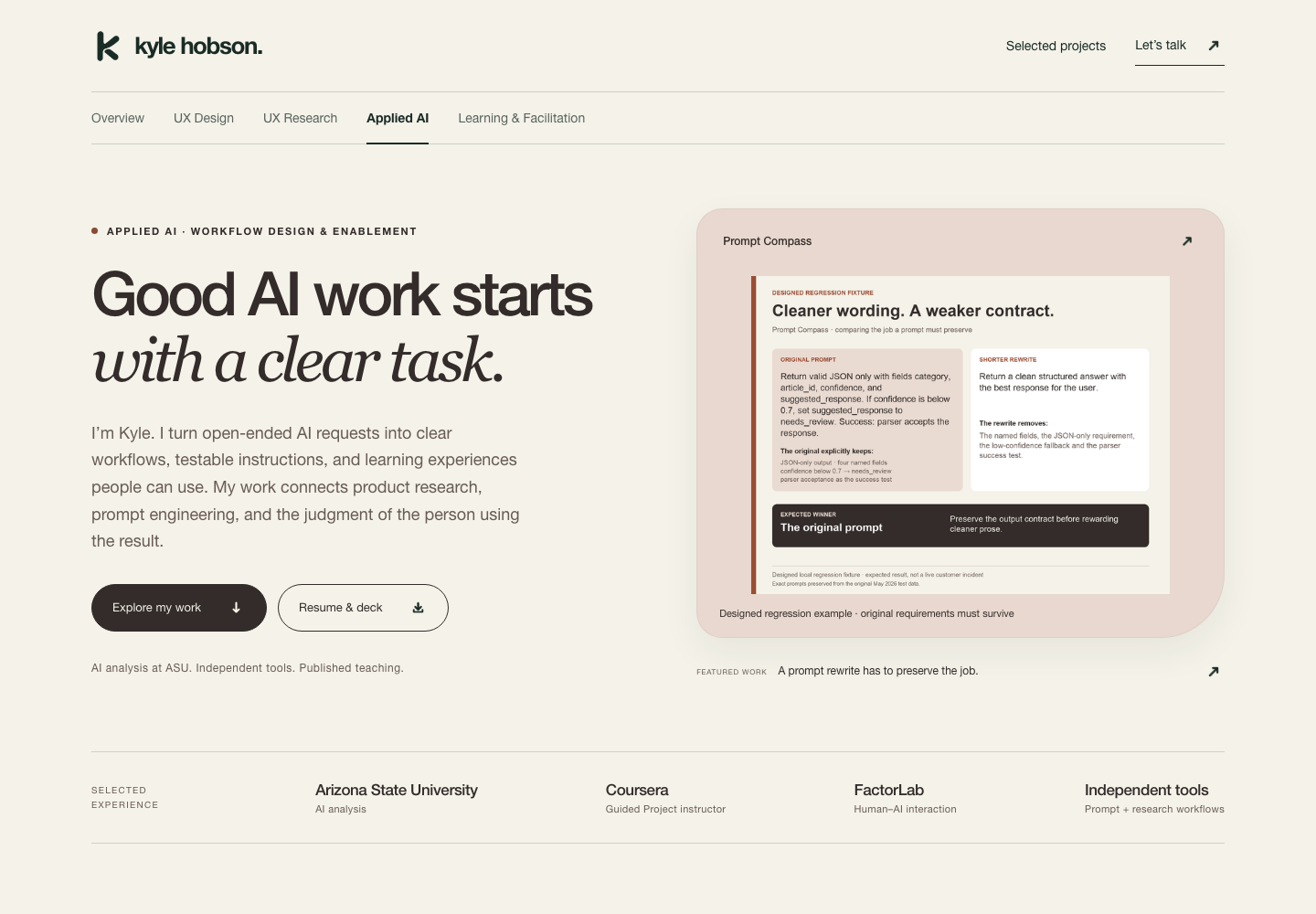
The skills I built along the way
- Research and organization
- In 2024, I was already distinguishing techniques for writing a prompt from strategies used inside it. The glossary gave that research a structure people could browse.
- Prompting and diagnosis
- By the website stage, my requests named specific failures and asked the next revision to preserve working behavior. “Rewrite it” became a request with constraints to check.
- Design direction and follow-through
- The Compass redesign needed a consistent experience across linked sites. My feedback challenged incomplete coverage and visual problems that a successful build had not caught.
- Keeping useful knowledge
- Knowledge Atlas and Kyle Second Brain extend this work into reusable knowledge and private project memory. An experiment can leave useful requirements or a failure to test even if its original interface stops being used.
Some experiments stalled or fell out of use. The lessons still carried forward: clearer requirements, failure cases worth testing, and knowledge I wanted the next project to retain.
06 / What I learned
The tools changed.
My judgment grew too.
Looking across these projects, I saw a shift in what I asked AI to do and what I needed to judge myself. These are the patterns I now bring to new work.
How I used each generation
- 2024 · GPT-4Exploring prompting language and organizing thesis research.
- 2025 · GPT-5Turning the glossary into a website, then working through code transfers and repairs.
- May 2026 · GPT-5.5Checking Job Application Compass against its requirements.
- July · GPT-5.6Working through the Compass redesign and the consistency of the wider site family.
- September · GPT-5.6 & GPT-6Rebuilding the resource site and developing the current portfolio.
The models and tasks shown here come from my project conversations. The dates describe my use of them.
Habits worth carrying forward
- Give the next version something to preserve.When a repair broke another control, I learned to name the behavior that had to keep working.
- Review the experience people will use.Clipping, confusing controls, and inconsistent sibling sites needed a browser and a person paying attention.
- Keep the useful parts of an experiment.A stalled interface can still leave a better question, a reusable instruction, or a failure to check next time.
About the evidence and comparisons
This is one designer’s experience across changing models, tasks, and working habits. It shows changes in the interfaces and the process. It does not isolate model capability, establish measured usability gains, or provide a timed productivity benchmark.
Dates come from spreadsheet metadata, saved conversations, and versioned source files. Historical pages were restored from unchanged source and captured on September 15, 2026; original browser captures are labeled separately. The spreadsheet’s first-version cells were not preserved.
The February conversation records a GPT-4 custom GPT (gpt-4-gizmo). The 2025 glossary conversations include GPT-5 and GPT-5 Thinking. GPT-5.5 is documented in a May acceptance audit, not as the authoring model for every May site. July and September sessions record gpt-5.6-sol and gpt-6-astra for the tasks listed above. These session labels are not a model-release timeline.